Show me how
Designing a role-based workflow automation platform to replace manual, PDF-driven task management across a distributed retail operation.
Client
Bunnings Retail
Services
Discovery Workshops Workflow Mapping Prototype Testing
My Role
Lead Product Designer
Date
October 2025

01 - The Problem
A broken process masquerading as a content problem
Bunnings - one of Australia's largest retail chains - managed task completion, allocation, and compliance data collection across hundreds of stores through shared PDFs and manual handoffs. The result was a system riddled with process gaps: tasks fell through the cracks, managers had zero visibility into completion status, and there was no structured feedback loop to improve operations over time.
On the surface this looks like a software problem. In reality, it was a broken workflow — and the solution required designing a genuine automation layer on top of how a distributed workforce actually operates.
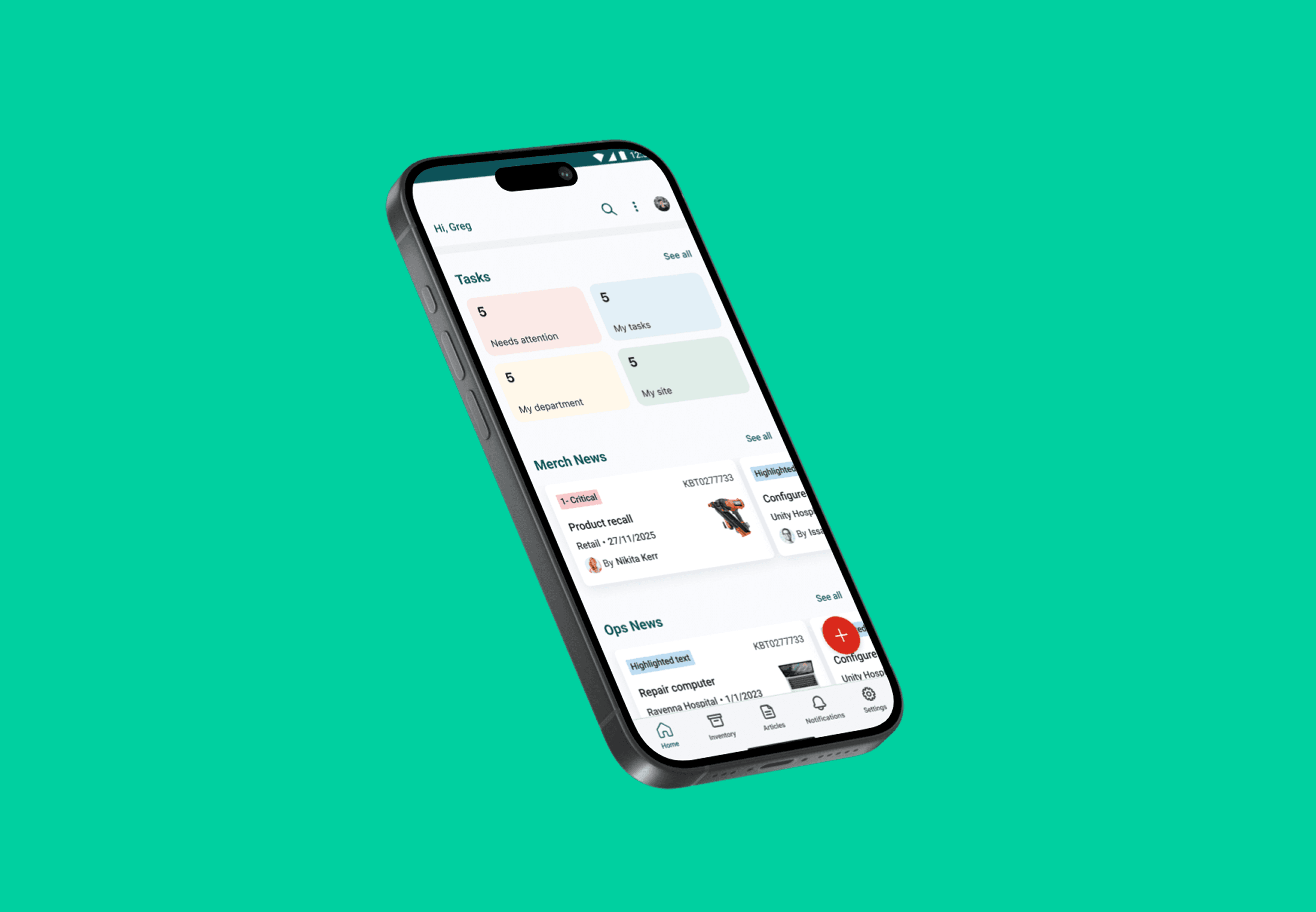
02 - Discovery
Mapping the broken workflow before touching any UI
We began with a structured discovery phase: stakeholder workshops, contextual interviews with floor staff, store managers, and regional leaders, and detailed workflow mapping sessions. The goal wasn't just to understand pain points - it was to map the full lifecycle of a task from creation to completion, and identify every handoff, gap, and assumption baked into the current process.
The questions that shaped the discovery
Where does information break down in the current process - and at which handoff point?
What does "task completion" actually mean to each role? The answer was different for all three.
What data matters for oversight vs execution? Conflating these was a root cause of the PDF chaos.
What metrics do senior stakeholders need to act on? Error rate and TTC surfaced as the primary targets.
What makes a floor worker trust a digital instruction the same way they trust a manager speaking to them?
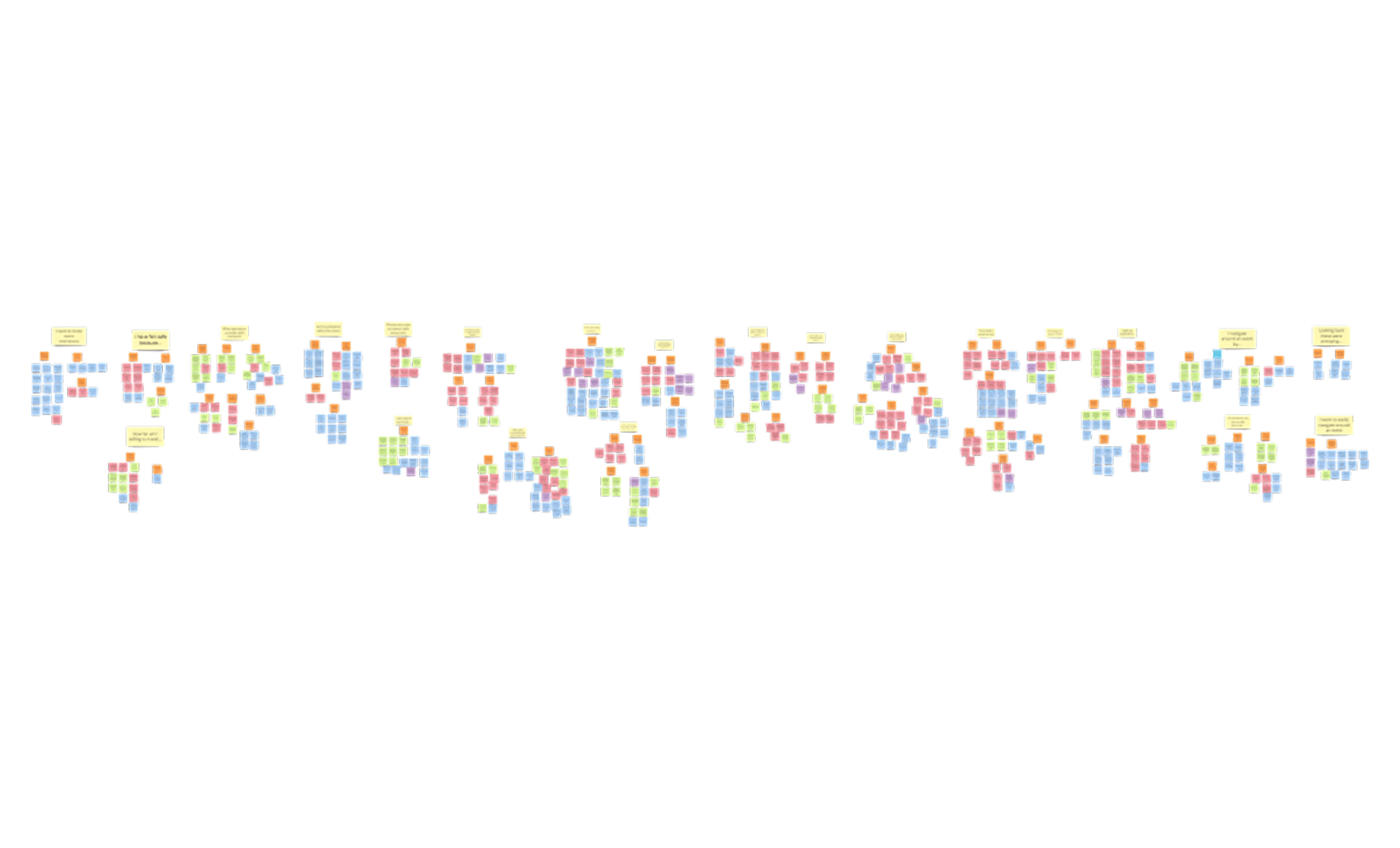
We synthesised 600+ insights into actionable themes, identifying three distinct mental models operating within the same workflow chain. This became the foundation for everything that followed.
Key insight: The failure mode wasn't that staff were skipping tasks. It was that the system gave them no clear signal of what to do next, no confirmation that what they'd done was received, and no way to flag blockers. The workflow had no feedback loop. Designing that loop was the central design challenge.
03 - SYSTEMS THINKING
Role architecture before screen design
One of the most consequential design decisions in this project happened before a single wireframe was drawn: establishing a clear role architecture. Each user group occupies a different position in the workflow chain, with fundamentally different interaction models, information needs, and success criteria.
Floor Staff
"What do I do next, and how do I do it right?" Simple, mobile-first execution. Step-by-step guidance. Zero ambiguity. No cognitive overhead.
Store Manager
"Is my team on track? What needs attention now?" Task assignment. Team status at a glance. Deadline visibility. Quick escalation paths.
Regional Manager
"Are my stores performing? Where are the risks?" Cross-store dashboards. Compliance trends. Error rates and time-to-completion data. Actionable signal, not raw noise.
One of the most consequential design decisions in this project happened before a single wireframe was drawn: establishing a clear role architecture. Each user group occupies a different position in the workflow chain, with fundamentally different interaction models, information needs, and success criteria.
01
MANAGER ACTION
Task Created & Configured
Manager creates a task using a structured form. Smart defaults pre-populate common fields based on role, store, and historical task patterns, reducing repetitive input.
02
SYSTEM LOGIC
Role-Based Routing & Assignment
The system routes the task to the appropriate staff member based on role, availability, and store context. No manual distribution required.
03
TRIGGER NOTIFICATION
Staff Receives Assignment
Floor staff receive a clear, actionable notification with deadline, priority, and all context needed to act immediately without clarification.
04
FLOOR STAFF ACTION
Step-by-Step Execution
Mobile-first interface guides staff through each step of the task. Designed for speed, minimal reading, and clarity in a busy retail environment.
05
DATA CAPTURE
Completion with Structured Data
On completion, the system captures structured data (time, outcome, errors flagged) forming the data layer that powers management visibility.
06
MANGER VIEW UPDATED
Real-Time Status Visibility
Store managers see task status update in real time. No chasing, no manual check-ins. The system surfaces what needs attention proactively.
07
PROCESS INTELLIGENCE
Regional Analytics Aggregated
Completion data feeds into cross-store dashboards, giving regional managers the process intelligence to track compliance trends, error rates, and performance over time.
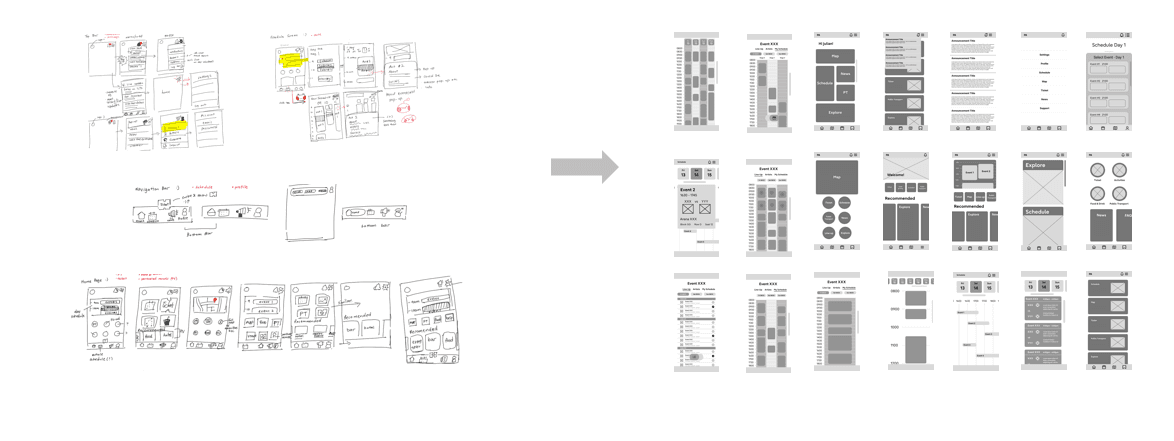
We used lo-fidelity wireframe workshops to map these flows with stakeholders before committing to any UI direction. This meant every screen we ultimately designed had a validated purpose in the workflow, not just a well-intentioned guess.
05 - TESTING & ITERATION
Two rounds to get the workflow right
We built a functional prototype and ran two structured rounds of usability testing with real Bunnings staff across roles. Each round had a clear objective: Round 1 was diagnostic, Round 2 was validating.
ROUND 1 - PROBLEMS FOUND
No feedback on submission state
Users had no way to tell if their task submission had processed. Several attempted to resubmit, creating duplicate records and eroding trust.
ROUND 2 - RESOLVED
Loading indicators + confirmation states
Added visible loading indicators at every async action. Confirmation screens clearly communicated successful processing, eliminating resubmission behaviour.
ROUND 1 - PROBLEMS FOUND
Ambiguous action labels causing hesitation
"Submit" created decision anxiety. Users weren't sure if it was saving a draft or completing the task. Several abandoned mid-flow.
ROUND 2 - RESOLVED
Action-specific, consequence-clear labels
Replaced generic labels with context-specific language: "Mark as Complete", "Save for Later", "Assign to Team." Abandonment on this step dropped to near zero.
ROUND 1 - PROBLEMS FOUND
Filter menus required too many taps
Managers applying filters to their task view had to navigate 3-4 taps per filter. On a busy shop floor, this was a deal-breaker for adoption.
ROUND 2 - RESOLVED
Inline filters with auto-close on selection
Redesigned filter interactions to apply immediately on selection and auto-close the panel. Reduced filter application to a single tap. Managers reported the dashboard "finally felt fast."
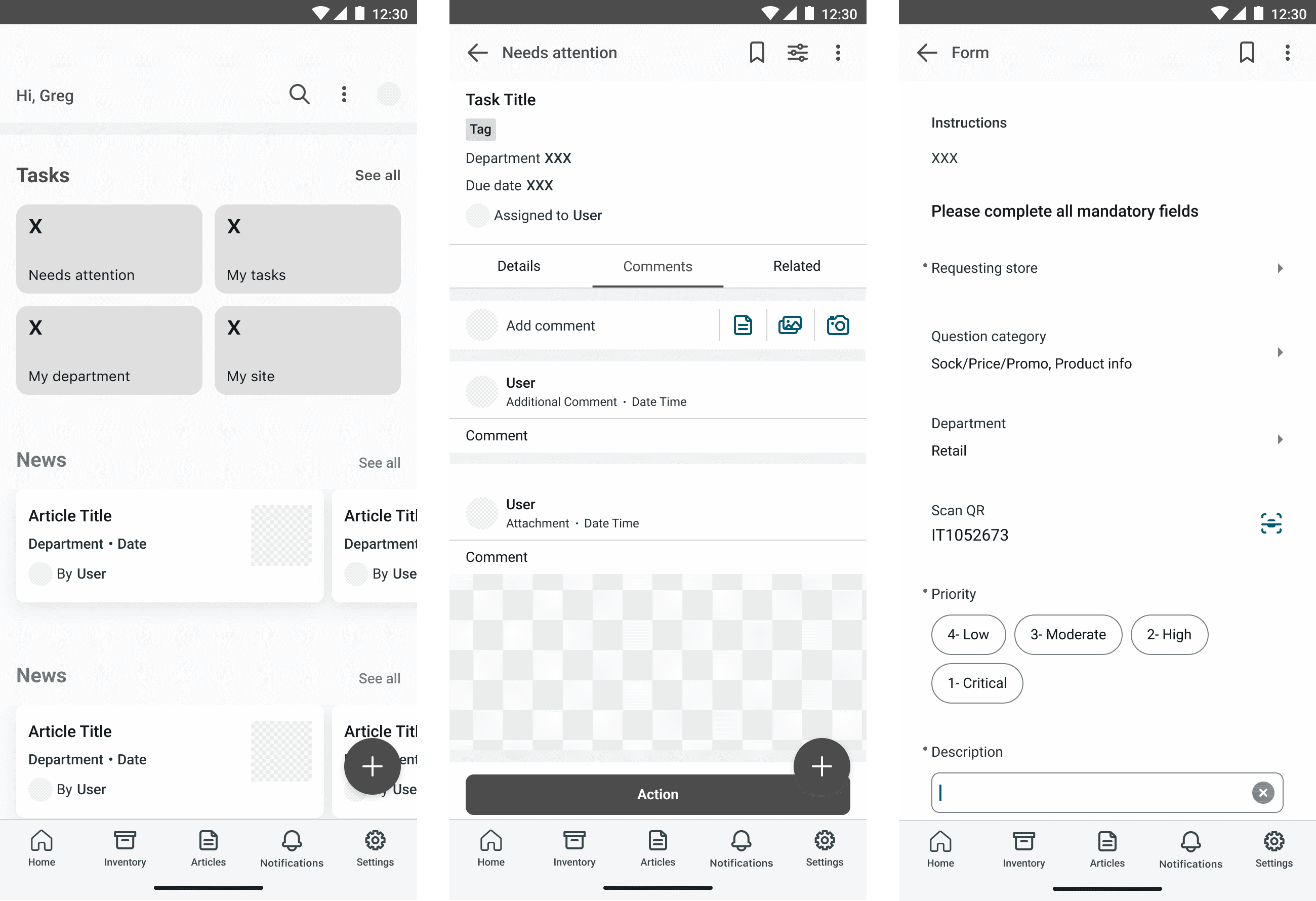
Testing primary workflows and pinpointing elements with issues for resolve.
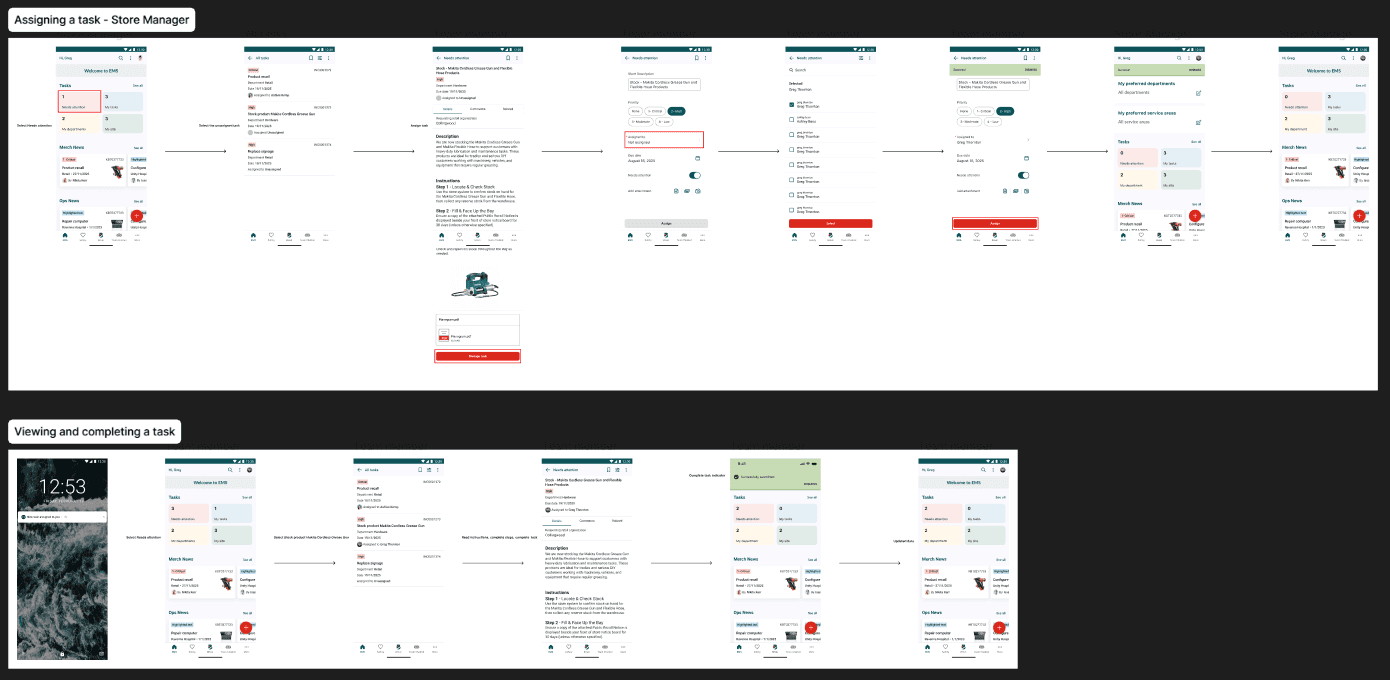
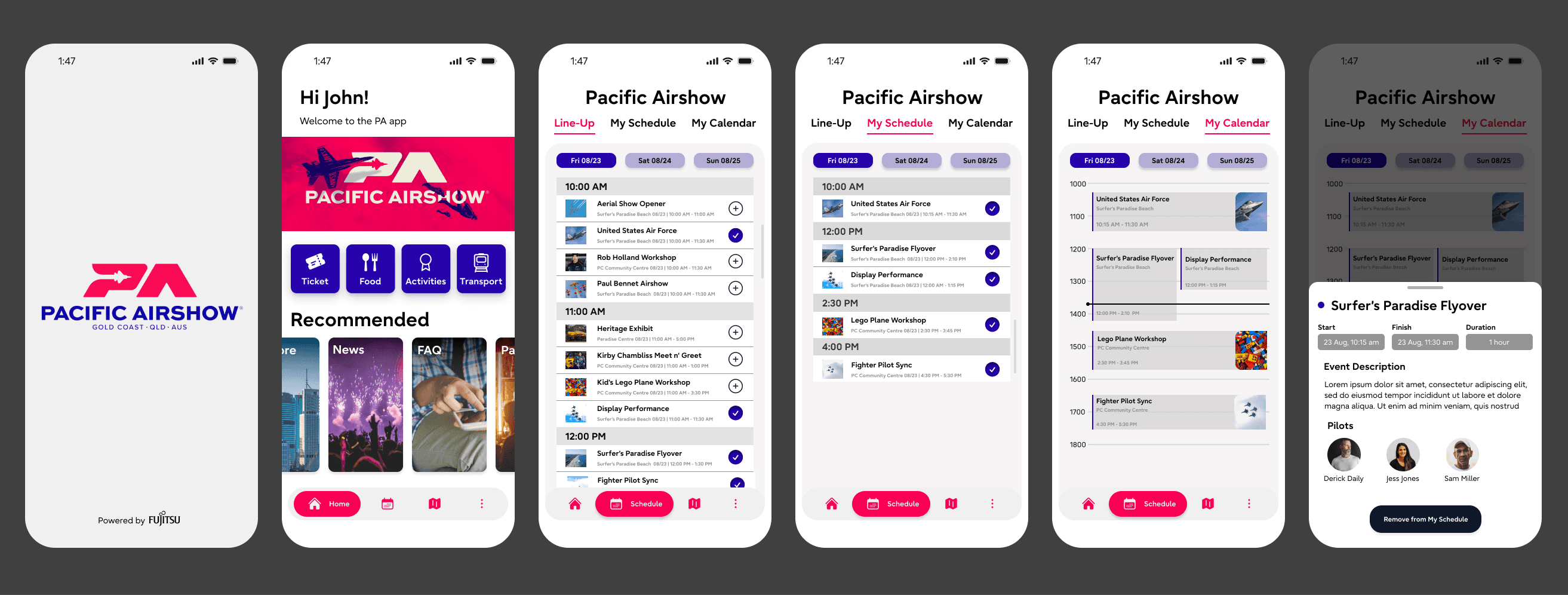
Showcasing and designing for how different user groups will interact with each other in a complex work flow. The above flow captures a manager assigning a task and floor staff receiving a notification and viewing the task.